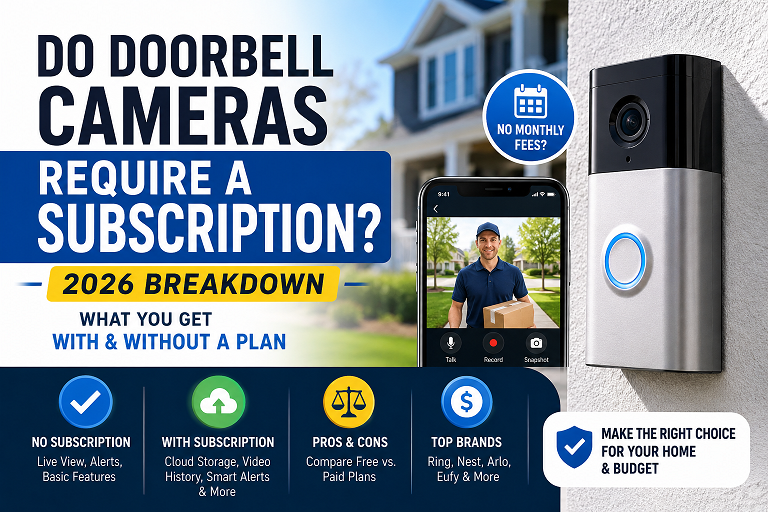
Do Doorbell Cameras Require a Subscription? 2026 Breakdown
No — not all doorbell cameras require a subscription. Ring and Nest lock recorded video history behind a monthly Ring Protect or Nest Aware plan, but doorbells from Eufy, Reolink, Wyze, Lorex, TP-Link, and Abode record and store footage locally on a microSD card or home hub, with full recording and playback included in the purchase price — no ongoing fee required. A typical doorbell subscription runs $5–$10 a month, which adds up to $180–$360 over three years.
If you’ve shopped for a video doorbell recently, you’ve probably run into the same frustrating discovery: the doorbell itself is affordable, but the moment you want to actually watch a recording of who rang your bell, you’re asked to pay a monthly fee. It’s a fair question to ask before you buy — do doorbell cameras require a subscription, or is there a way around it?
The honest answer is that it depends entirely on the brand, and increasingly, on the specific model within that brand. This guide breaks down exactly which doorbells charge a monthly fee, which don’t, what you actually give up by skipping the subscription, and which no-fee models are worth buying in 2026.
Why Some Doorbell Cameras Need a Subscription and Others Don’t
The subscription question comes down to one thing: where your video is stored. Doorbells that upload every clip to the manufacturer’s cloud servers need somewhere to put that data, and cloud storage isn’t free to run at scale — that cost gets passed to you as a monthly fee. Ring’s Protect plans and Google’s Nest Aware plans both work this way: without an active plan, you get a live view of your doorbell, but recorded clips either aren’t saved at all or disappear within a very short window.
A growing number of brands take the opposite approach: the doorbell stores video directly on a microSD card inside the unit, or sends it to a small hub you keep inside your home. Because the footage never has to live on a company’s servers, there’s no recurring storage cost to charge you for. Eufy, Reolink, Wyze, Lorex, TP-Link, and Abode all sell doorbells that work this way, with full recording and playback included in the one-time purchase price.

Subscription vs. No-Subscription — Brand by Brand
What You Actually Lose Without a Subscription
Skipping the subscription doesn’t mean skipping security — but it’s worth knowing exactly what changes depending on which brand you choose.
- On Ring or Nest without a plan: you lose recorded video history almost entirely. You can still see a live feed and get a motion notification, but you generally can’t go back and watch what happened after the fact.
- On Eufy, Reolink, Wyze, and similar brands: you lose nothing on core recording — full video history is stored locally and playable anytime through the app. What you may miss out on is cloud-dependent AI, like advanced facial recognition or cross-device person tracking, since those features typically need server-side processing power a doorbell alone doesn’t have.
- Package-specific alerts: some local-storage models, like the Eufy E340 with its second downward-facing camera, still offer package detection without a subscription — it’s a hardware solution rather than a cloud one, so check this feature per model rather than assuming it’s subscription-only.
“Subscription Optional” Isn’t Always “No Subscription Needed”
Some listings advertise a doorbell as having an optional subscription, but that phrasing can be misleading — on several cloud-first models, “optional” really means limited functionality without paying, not full functionality. Look specifically for language stating no monthly fees are required for recording and playback, not just that a plan is “available” or “optional.”
Best No-Subscription Doorbell Cameras for 2026
Apple Homeowners Have a Free Cloud Option Too
If you’re deep in the Apple ecosystem, HomeKit Secure Video — supported by models like the Abode Cam 2 — stores encrypted footage on an Apple TV or HomePod you already own, rather than a microSD card. It requires an iCloud+ plan you likely already have for photo storage, not a separate doorbell-specific fee.
How Local Storage Actually Works
If you’ve only ever used a cloud-based doorbell, local storage takes a little getting used to. Here’s the practical version: footage records either straight to a microSD card inside the doorbell itself, or over your home Wi-Fi to a small indoor hub (Eufy calls its version a HomeBase). When the storage fills up, the oldest footage is automatically overwritten to make room for new recordings — you don’t need to manage it manually. You can still view, download, and share individual clips from your phone app at any time, over Wi-Fi, at no cost.
| Storage Type | Where Footage Lives | Monthly Cost | Risk to Consider |
|---|---|---|---|
| Cloud (Ring, Nest) | Manufacturer’s servers | $3–$20 | Footage disappears if you cancel the plan |
| MicroSD in doorbell | Card inside the unit | $0 | Footage is lost if the doorbell itself is stolen |
| Home hub / HomeBase | Indoor hub you control | $0 | Footage stays safe indoors even if the doorbell is taken |
| HomeKit Secure Video | Your Apple TV / HomePod | iCloud+ plan (shared use) | Requires existing Apple hardware at home |
How to Choose — A Step-by-Step Checklist
Decide If You Actually Need Cloud AI Features
If facial recognition or advanced person-vs-package AI matters more to you than saving on fees, a subscription brand may still be the better fit. If you mainly want to see and review who’s at the door, local storage covers that completely.
Check Whether Storage Is Card-Based or Hub-Based
A hub-based system protects your footage even if the doorbell itself is stolen off your porch — a real consideration in higher-theft areas. A card-only system is cheaper but keeps all the footage in the unit that’s exposed outside.
Confirm It Works With Wiring You Already Have
Battery-powered doorbells install almost anywhere with no wiring, which is ideal for renters. If you already have existing doorbell wiring, a wired model gives you continuous power without worrying about battery life or recharging.
Check Smart Home Compatibility
Most no-subscription doorbells work with Alexa or Google Assistant; fewer support Apple HomeKit. If you’re building an Apple-based smart home, Abode’s HomeKit Secure Video option is currently one of the few local-storage doorbells that fits.
Real Cost Comparison Over 3 Years
Estimates based on typical hardware pricing and a $5–$10/month cloud plan over 36 months. Actual pricing varies by retailer and promotion — check current prices before buying.
Frequently Asked Questions
Do all doorbell cameras require a subscription?
No. Ring and Nest lock cloud video history behind a paid plan, but doorbells from Eufy, Reolink, Wyze, Lorex, TP-Link, and Abode record to local storage — a microSD card or a home hub — with no monthly fee for core recording and playback features.
What do you lose if you skip the doorbell camera subscription?
On subscription-based brands like Ring and Nest, skipping the plan usually means you lose recorded video history entirely — you can see a live view but not go back and watch a clip. On no-subscription brands, local storage keeps full recording and playback for free; you may lose cloud-only extras like facial recognition or multi-device video sharing, which need server-side processing.
How much does a doorbell camera subscription typically cost?
Most cloud doorbell subscriptions run $3 to $20 per month, with $5 to $10 per month being typical for a single-camera plan. Over three years, that adds up to $180 to $360 on top of the hardware cost — money a no-subscription model avoids entirely.
Are no-subscription doorbell cameras as good as Ring or Nest?
For the core job — seeing who’s at the door and reviewing a recording later — yes. Local-storage doorbells from Eufy and Reolink now match Ring’s video resolution and battery life. Where subscription brands still lead is in advanced AI features like facial recognition and package-specific alerts, which rely on cloud processing.
What happens to the footage if someone steals a no-subscription doorbell?
If footage is stored only on a microSD card inside the doorbell itself, a stolen unit takes the recent footage with it. Models with a separate indoor hub, like Eufy’s HomeBase-based doorbells, keep the footage safe indoors even if the doorbell is taken, which is worth checking before you buy.